Harmonic Recovery 2.0

What's new in 2.0

A redesigned app for diplacusis, built around one question: how far apart are your ears, and is that changing? Here's what 2.0 brings.

  1. A new design: two ears, two colors

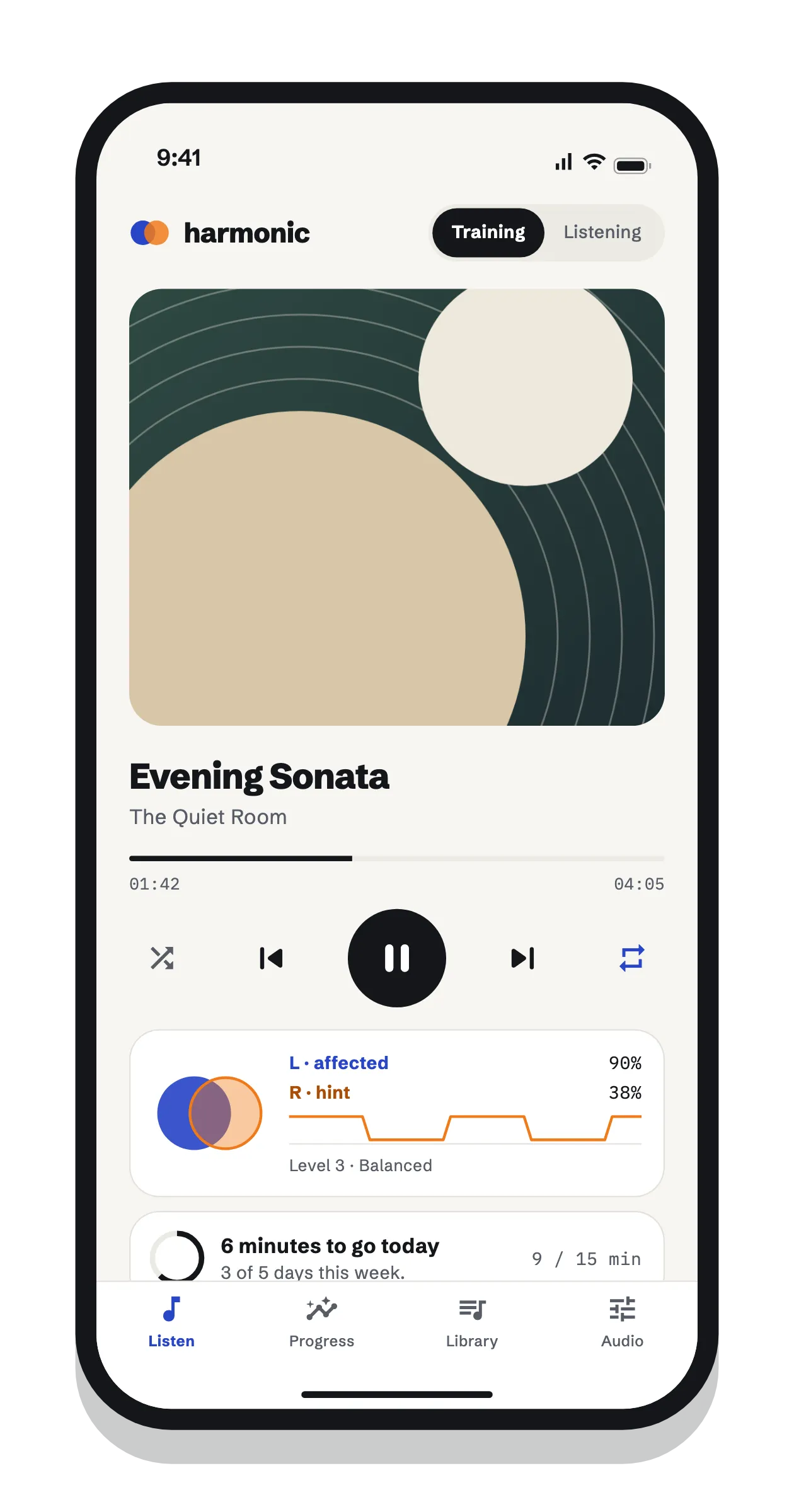
    Version 2.0 is a complete redesign, called Convergence. Cobalt always means your affected ear and tangerine your hint ear, the one that hears pitch correctly. Everything else stays neutral, so the two ears are easy to tell apart on every screen. Two overlapping circles show the mismatch between them.

    The app follows your phone’s light or dark mode.
  2. A hearing check that measures your pitch gap

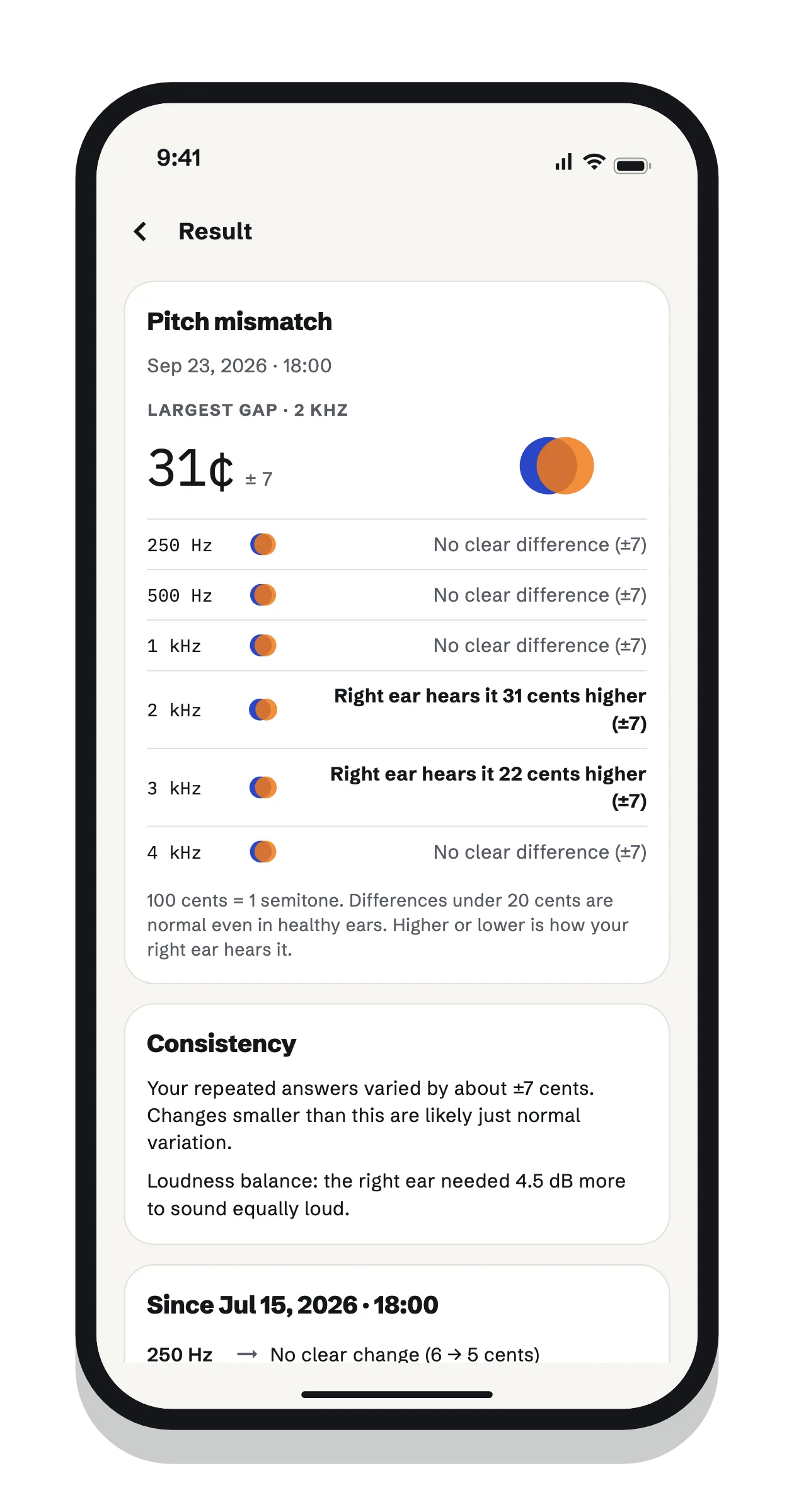
    A pitch-matching check measures the gap between your ears in cents (100 cents is one semitone). You match loudness first, then match a tone in your other ear to one in your affected ear at six frequencies, twice each. The two ears never play at the same time.

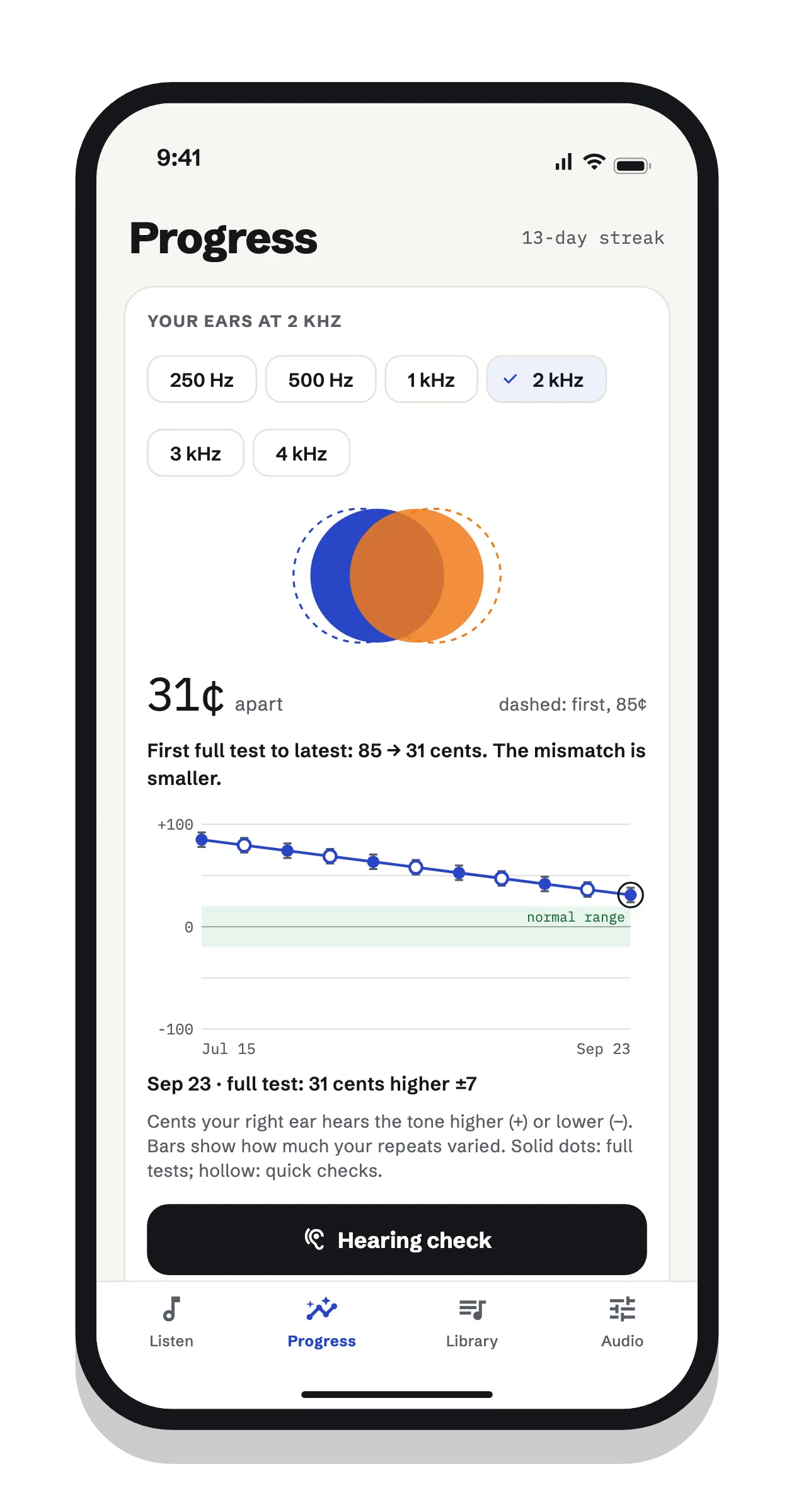
    Results show how consistent your answers were, and a change between checks only counts when it’s bigger than your own day-to-day variation. Small changes show as “no clear change”, not as progress.

  3. A listening setup for your headphones

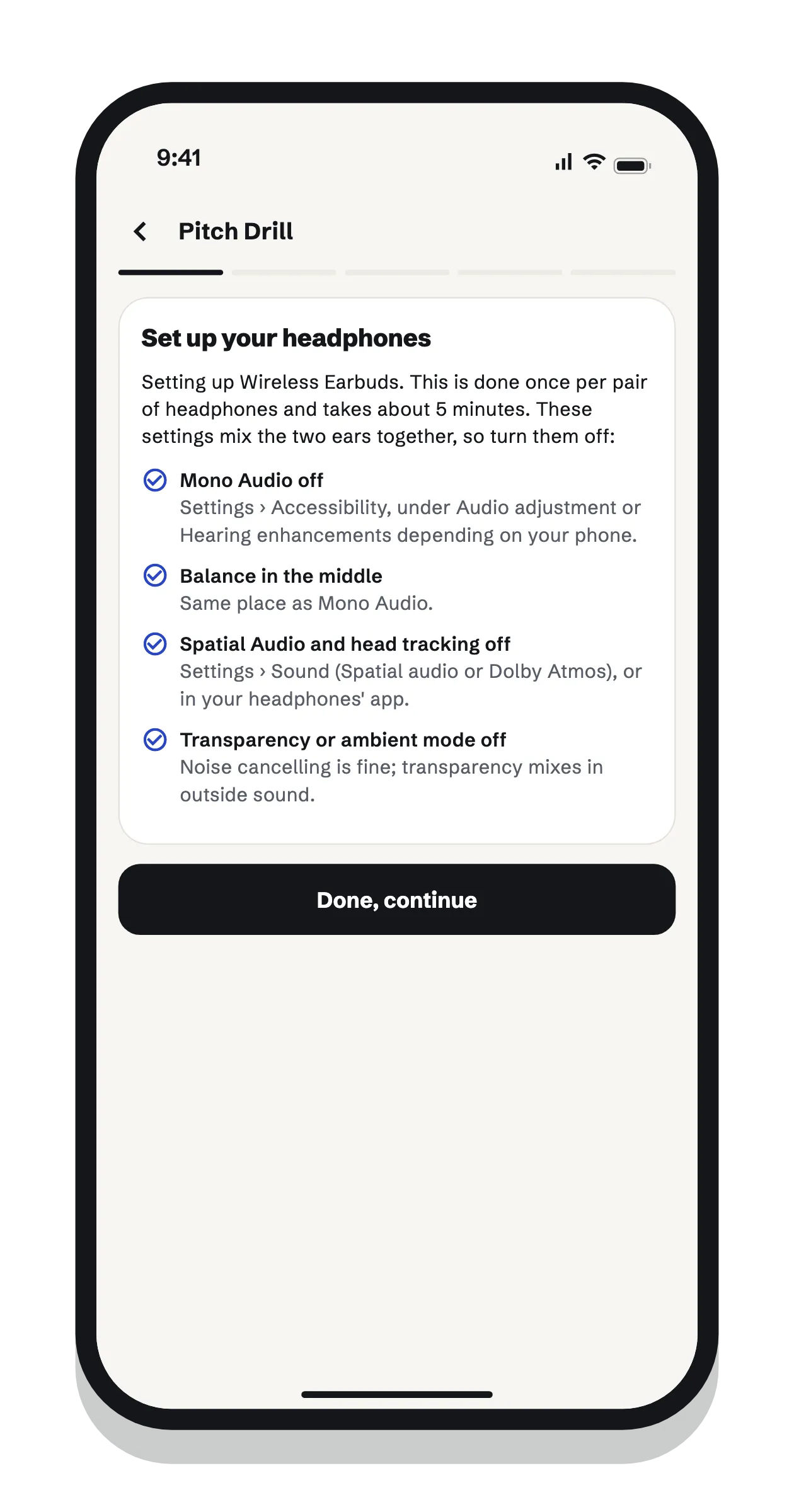
    Phones and headphones aren’t calibrated, so before a check or drill the app sets its tones from each ear’s own hearing threshold, measured with the headphones you’re wearing. The first time takes about 5 minutes: turning off settings that mix the ears together, setting a volume, and finding the quietest beep each ear hears at six frequencies. After that, a 30-second check confirms nothing has changed.

  4. Training levels for the pitch hint

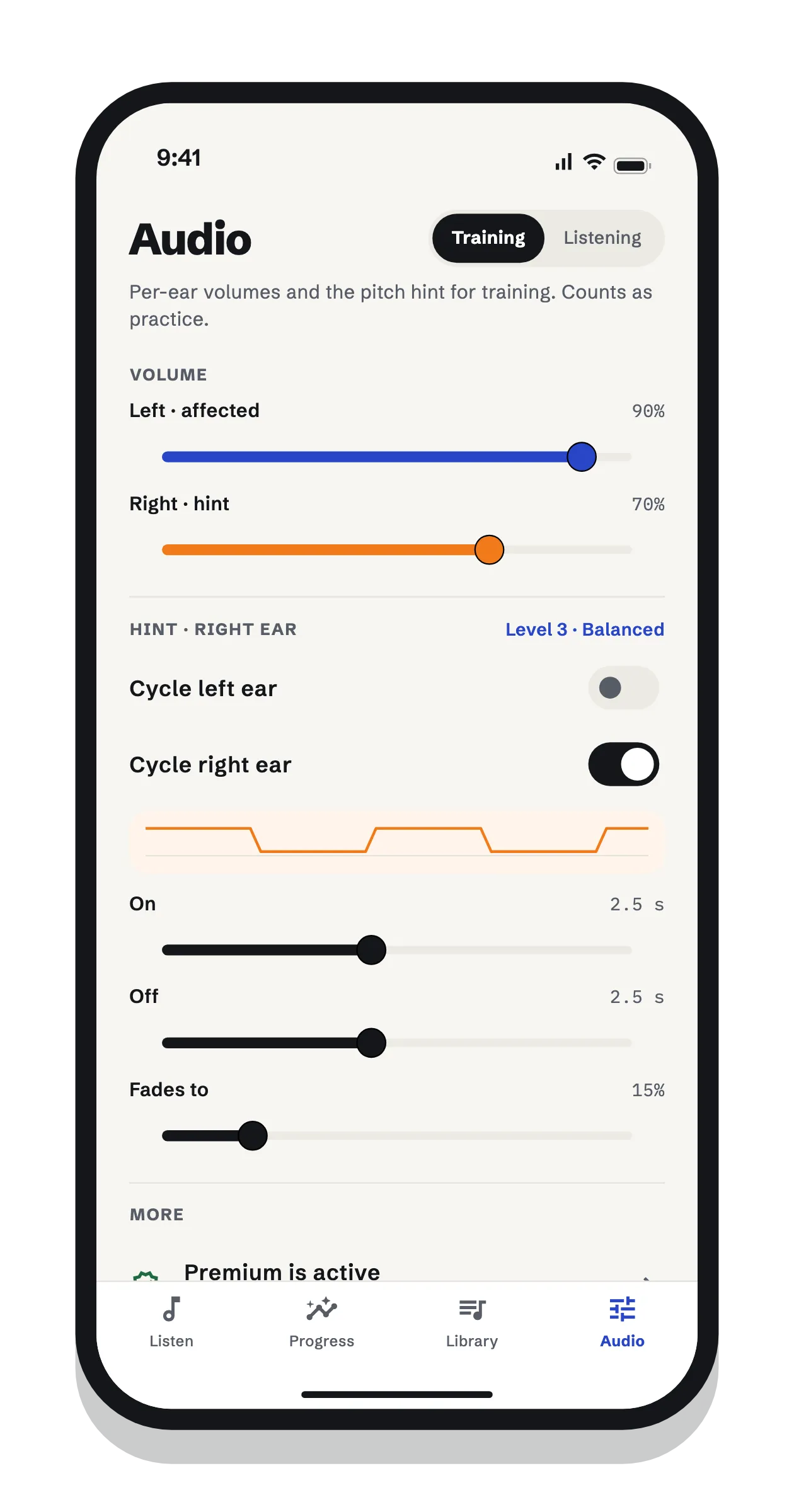
    In Training mode, your music plays clearly in your affected ear while the same music fades in and out in your other ear as a pitch hint. Six levels make the hint gradually rarer, from a strong hint to brief glimpses. The app suggests a move only after enough practice at a level and a new hearing check, and every move is your choice.

  5. Higher-or-lower pitch drills

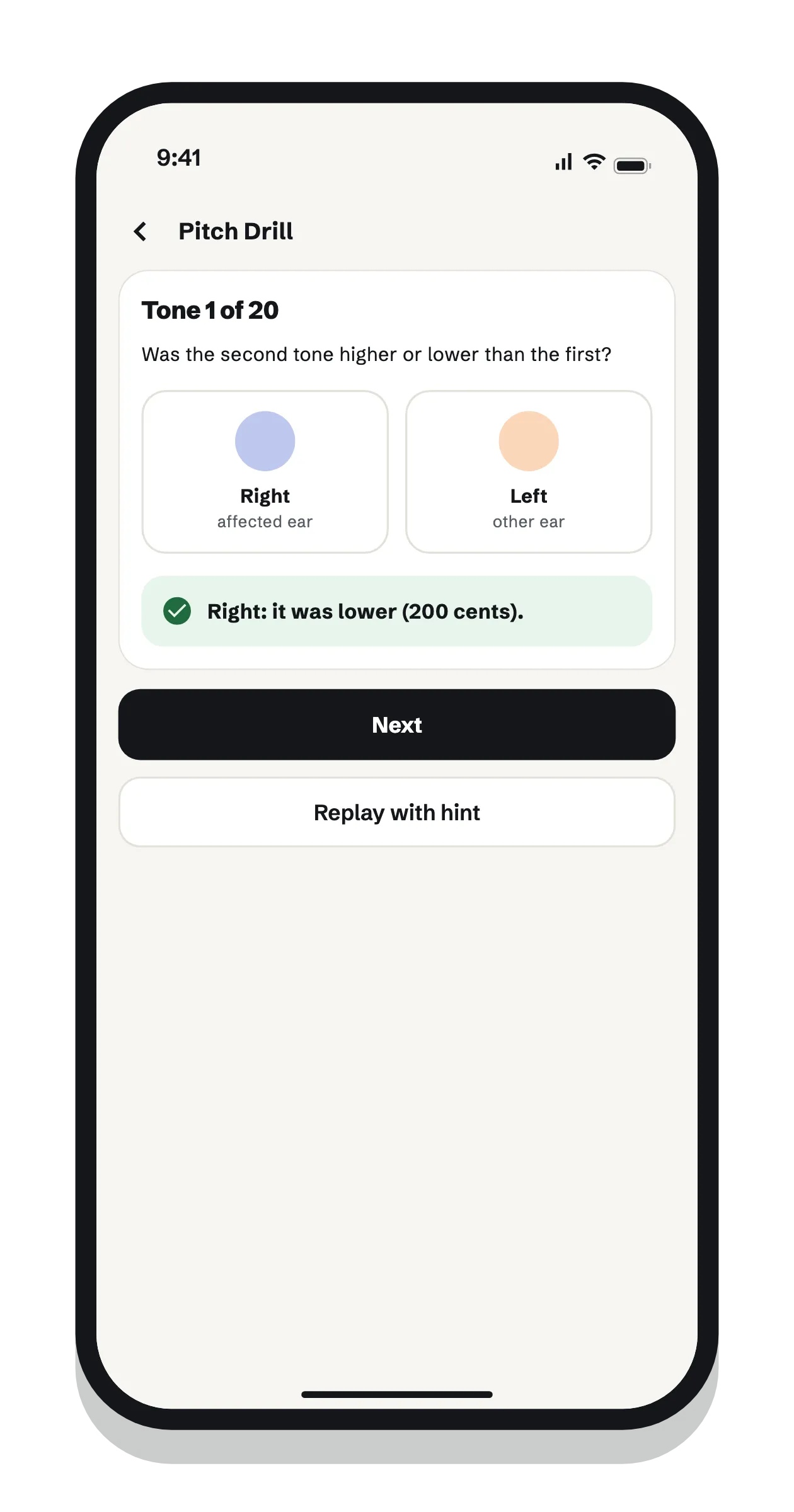
    A 3-minute drill: a tone plays in your good ear, then one a little higher or lower in your affected ear, and you say which. The difference shrinks as you answer correctly and grows when you miss, so it settles at what you can just tell apart.

  6. Progress you can check

    A daily goal, streaks and a 12-week calendar keep practice steady. A chart shows your mismatch over time at each frequency, with your normal range shaded, and a daily check-in records how music sounds to you.

And also

Lock-screen and headphone controls

Play, pause and seek from the lock screen, Control Center or your headphones. A phone call pauses the music, and it carries on when the call ends. Playing in the background needs Premium; on the free plan, music pauses when you leave the app.

Light and dark mode

Both palettes keep the same meaning: cobalt for your affected ear, tangerine for your hint ear. The app switches with your phone’s setting.

What hasn't changed

Harmonic Recovery is a practice and self-tracking tool, not a medical device. Its hearing check isn't a clinical hearing test, and the pitch hint hasn't been tested in a study. Your results stay on your phone, with no account and no ads. Read the research and its limits.

Harmonic Recovery

Measure your pitch gap

A headphone setup tuned to each of your ears, a pitch-matching check at six frequencies, a pitch hint that plays in your other ear while you listen to your own songs, 3-minute drills, and a chart that shows whether anything is changing. Free to start.

On a computer? Scan with your phone's camera to open the app in its store.